Advanced 📚
Getting Started 👋
Multi-agent
If you have more than one assistant, you can enable Multi-Agent mode to allow them to call each other based on their descriptions. Instead of relying on a single master assistant, you can utilize a team of specialists collaborating on a task.
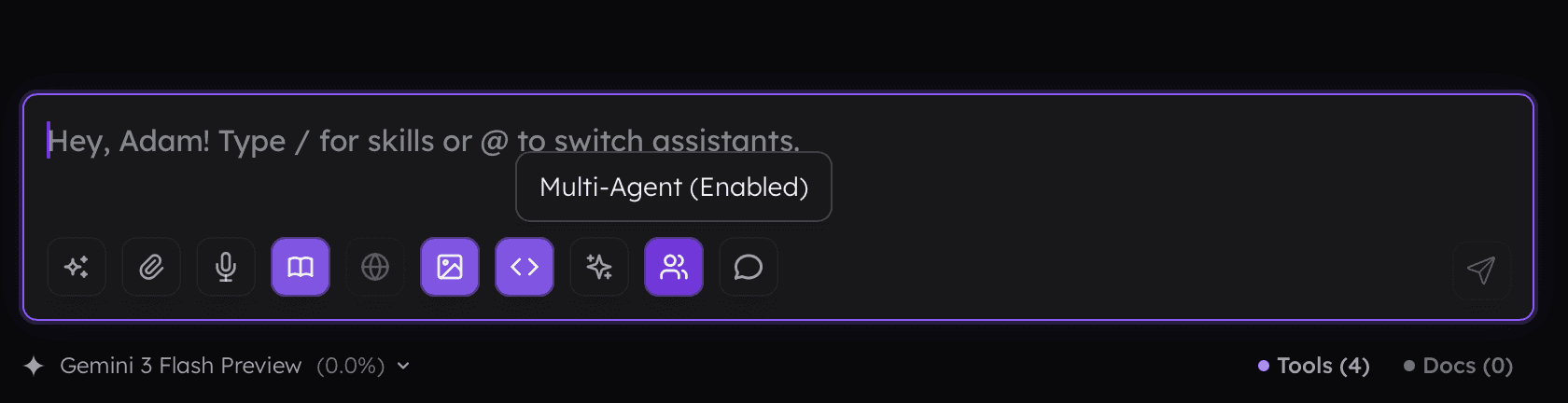
To enable multi-agent collaboration, use the button available within the prompt input.
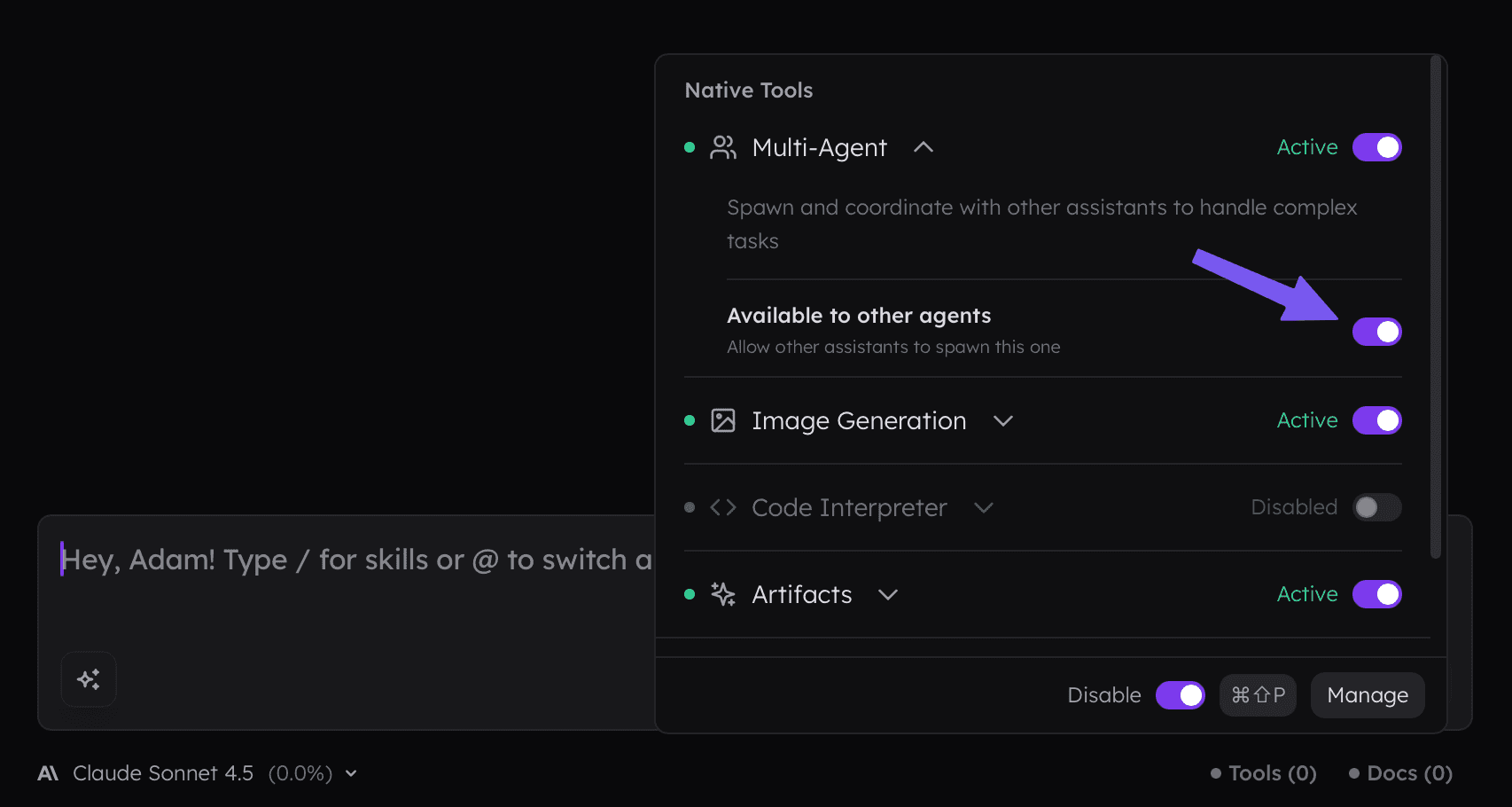
For the active assistant, you can also change whether it is available for other assistants to call.
Assistants are selected based on their names and descriptions, so ensure these are clean and clear, or simply tell the model directly which assistant to call. When calling another assistant, all MCPs and settings enabled by this assistant will be available to them.
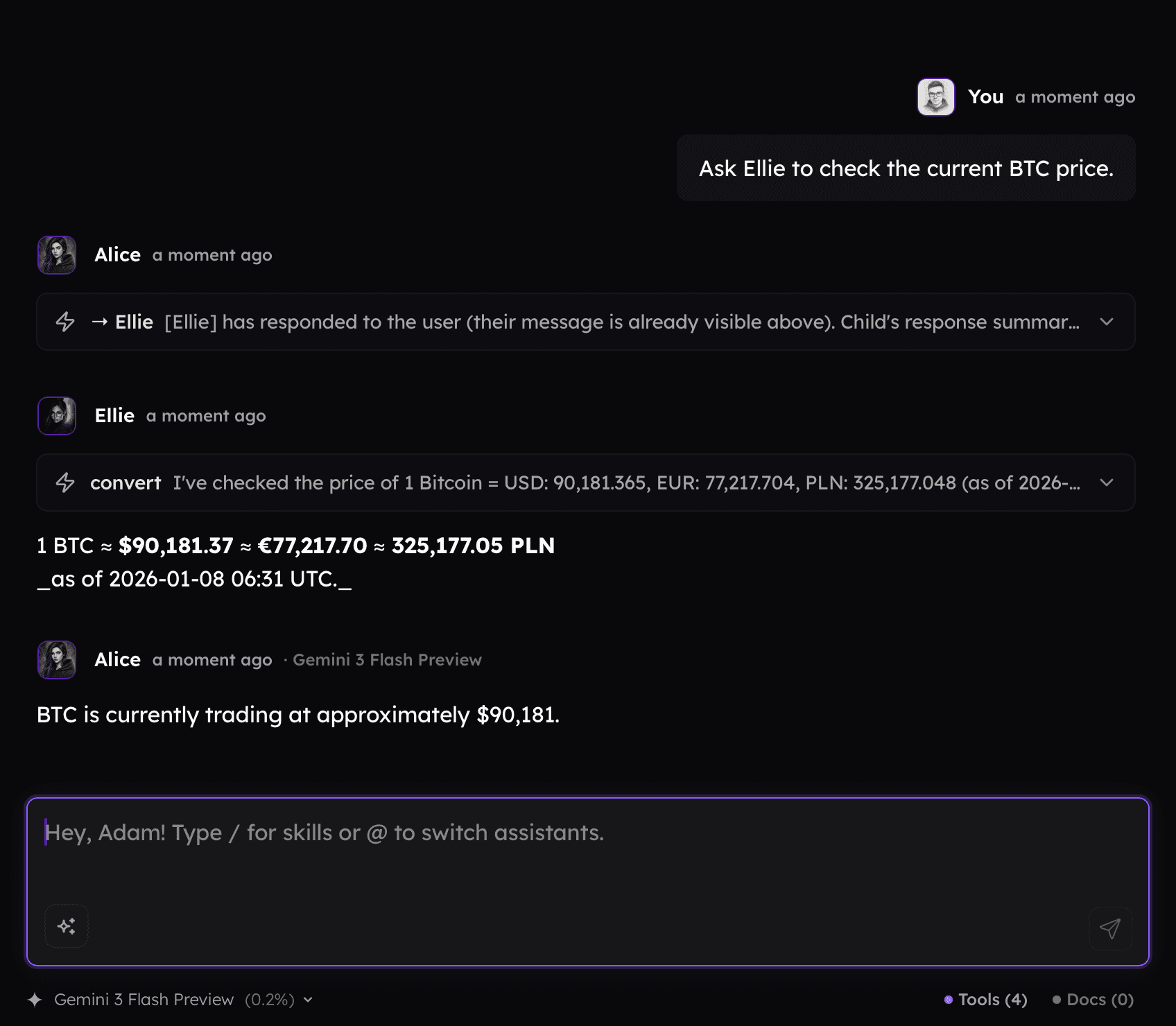
By default the subagent will be called in the same thread, as follows:
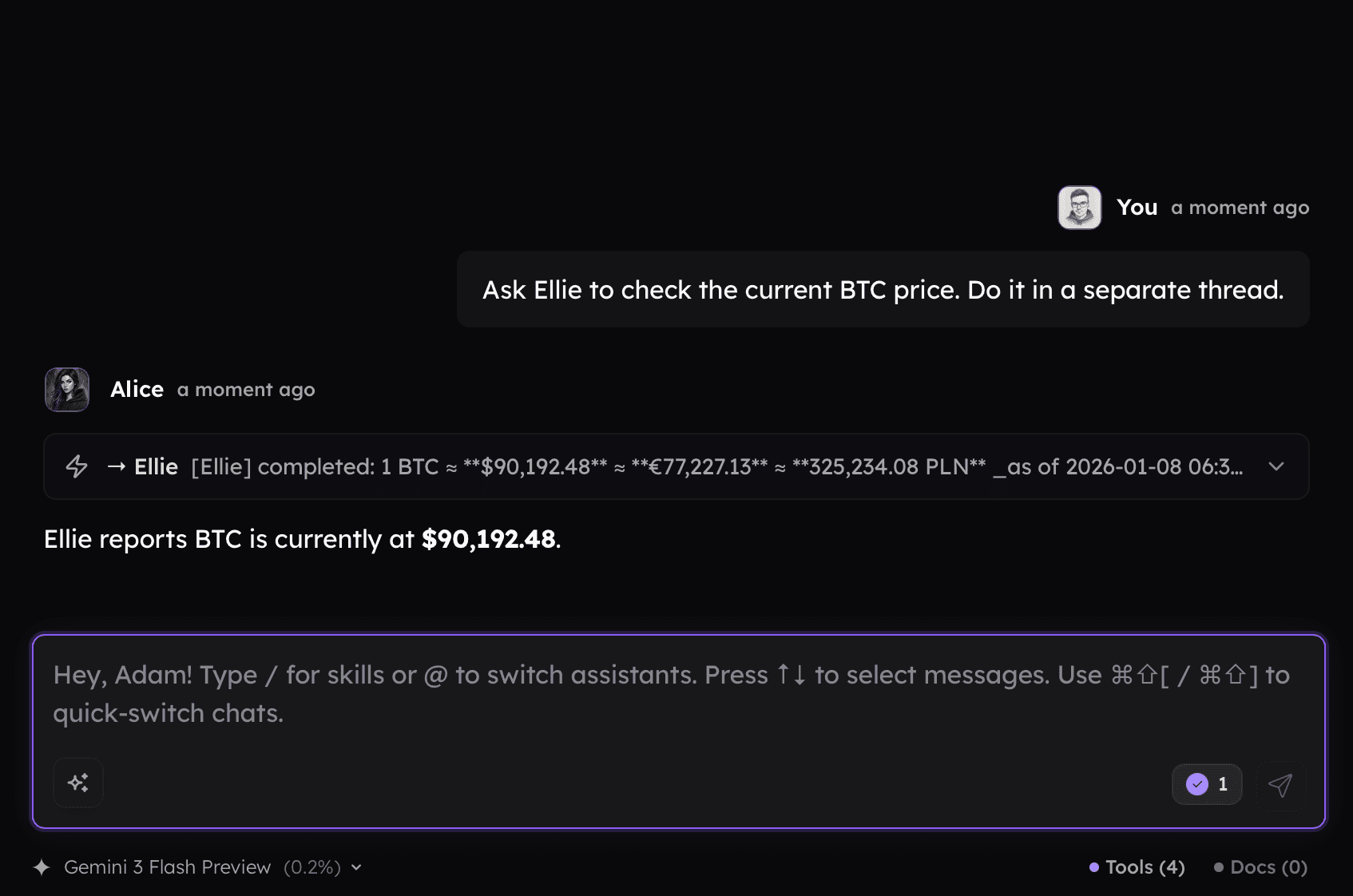
You can ask the agent to use a separate thread. Doing so creates a separate conversation for the subagent, ensuring only the results are available in the current thread. This technique helps you manage the context of the conversation.
Getting Started 👋
Multi-agent
If you have more than one assistant, you can enable Multi-Agent mode to allow them to call each other based on their descriptions. Instead of relying on a single master assistant, you can utilize a team of specialists collaborating on a task.
To enable multi-agent collaboration, use the button available within the prompt input.
For the active assistant, you can also change whether it is available for other assistants to call.
Assistants are selected based on their names and descriptions, so ensure these are clean and clear, or simply tell the model directly which assistant to call. When calling another assistant, all MCPs and settings enabled by this assistant will be available to them.
By default the subagent will be called in the same thread, as follows:
You can ask the agent to use a separate thread. Doing so creates a separate conversation for the subagent, ensuring only the results are available in the current thread. This technique helps you manage the context of the conversation.